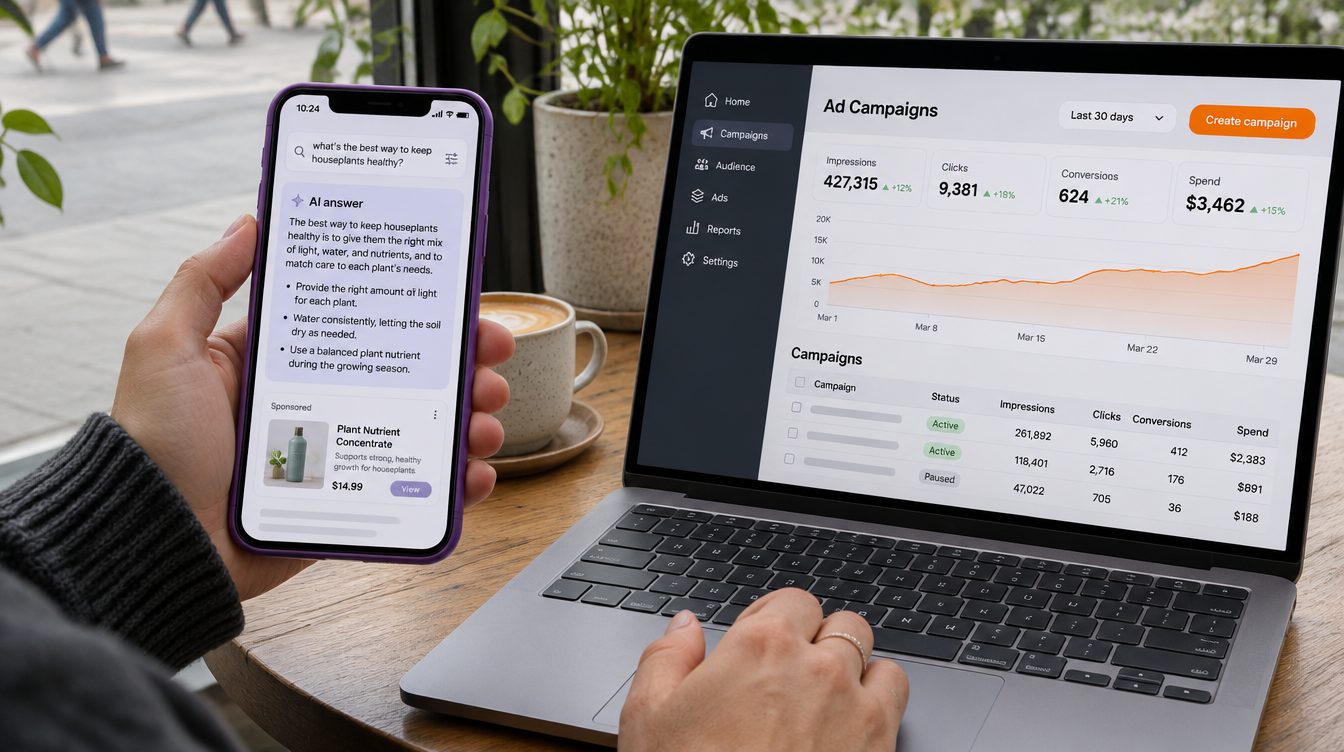
Google Ads can appear inside and alongside AI Overviews and AI Mode answers, in sections labeled "Sponsored." Existing Search, Shopping and Performance Max campaigns are eligible automatically, with no new campaign or separate budget. The ads go through the same auction and the same cost-per-click or conversion-based bidding as other Search ads, at no extra charge. Text ads and Shopping ads can show inside the AI answer, in English, in the United States and a short list of other countries. You can't target these placements on their own or opt out of them separately from the rest of Search. Exact and phrase match keywords are eligible only for direct commercial searches, while broad match, AI Max, Shopping and Performance Max can also be matched to the AI answer. Results are included in your standard reports.
Where ads appear in AI Overviews and AI Mode
From SGE to AI Overviews and AI Mode
SGE (Search Generative Experience) was the name of Google's Search Labs experiment with AI answers, announced in May 2023 for English searches in the U.S. Google's 2023 announcement said Search ads would continue to appear in dedicated ad slots throughout the page. In May 2024, Google began rolling out AI Overviews to everyone in the U.S., after people had used AI Overviews billions of times through that Search Labs experiment.
AI Overviews are AI-generated snapshots on the results page. They show up when Google's systems determine that generative AI can be especially helpful. In AI Mode, you have a conversation: you ask a question, get an AI response with links, and can ask follow-up questions.
Inside the answer, and above or below it
When a search or conversation has commercial relevance, ads can appear directly within or alongside the AI response, in sections labeled "Sponsored." In AI Mode, that includes follow-up questions, and Google is launching multiturn ads in the U.S. so ads can show in those follow-ups.
Standard Search ads can also still appear above or below an AI Overview, the same way they appear alongside other results. Your ad can show both above an AI Overview and within it on the same search. It won't show both within an AI Overview and immediately below it.
Google keeps testing ad layouts in both experiences, so the way these ads look may change.
Where ads inside AI answers are available
| Placement | Countries and territories | Languages |
|---|---|---|
| Above or below an AI Overview | All 200+ countries and territories where AI Overviews are available | All languages where AI Overviews are available |
| Within AI Overviews and AI Mode | United States, Australia, Canada, India, Kenya, Malaysia, New Zealand, Nigeria, Pakistan (text ads only), Philippines, Singapore | English |
| Within AI Overviews only | Indonesia | English |
Checked 11/21/2026 on Google Ads Help.
The list may not be complete, because Google keeps testing and expanding ad serving. Google's October 28, 2026 announcement said it plans to expand ads in AI Mode in Q4 2026 to more locales, including Brazil, Mexico and the United Kingdom. If you advertise outside the countries in the table, check the list again before you plan around these placements.
Which campaigns qualify and how Google matches ads
No new campaign type
Existing Search, Shopping and Performance Max campaigns are automatically eligible through the regular Google Ads auction. Text ads and Shopping ads can appear inside the AI answers. Google is also experimenting with other formats, including local inventory ads and vehicle ads.
AI Max for Search campaigns is not a separate campaign type either. You turn it on inside an existing Search campaign, and it adds automated search term matching and asset customization.
Direct and contextual matching
Google matches ads in AI Overviews and AI Mode in two ways. With direct matching, the ad is matched to a search that already shows clear commercial intent, such as "pool vacuum cleaners," just as on a standard results page. With contextual matching, the ad is matched to both the question and the AI response, when someone asks a longer, exploratory question and the commercial intent comes from the next steps the answer suggests.
Take a search for "why is my pool green and how do I clean it?" The searcher isn't asking for a product. The AI response covers water testing, brushing and vacuuming debris, and Google can then show Sponsored text or Shopping ads for pool vacuum cleaners or algae treatment kits.
Longer questions like this one are common in AI Mode. Google's own research in the U.S. found that AI Mode queries are, on average, three times longer than traditional searches.
What your targeting is eligible for
| Targeting | Direct query matching | Contextual matching |
|---|---|---|
| Exact match keywords on Search | Yes | No |
| Phrase match keywords on Search | Yes | No |
| Broad match on Search | Yes | Yes |
| AI Max for Search campaigns | Yes | Yes |
| Shopping campaigns | Yes | Yes |
| Performance Max | Yes | Yes |
What the ad looks like
Ads in AI Overviews and AI Mode are built from your campaign assets: headlines, descriptions, images, pricing and landing pages, with a "Sponsored" label.
AI explainers
In some placements, Google shows an AI explainer with the ad. An explainer is short text written by Google's Gemini models that tells the searcher how an ad, or a group of ads, relates to what they are looking for. It can be a brief description that introduces a group of Sponsored options, or context next to a single ad drawn from the search, the AI response and public sources, including your website. Sometimes Google uses a fixed header instead, such as "You might consider these options."
Explainers are not part of your headlines or descriptions. You can't write, edit, approve or opt out of them. You can keep your website content clear and current, which helps Google show accurate context in explainers.
Pinned assets and Final URL expansion
Asset pinning still applies to ads in AI Overviews and AI Mode. If you turn on Final URL expansion, though, Google won't respect pinning of responsive search ad assets.
Controls, billing and reporting
What you can and can't control
You can't target ads only to AI Overviews or AI Mode, and you can't opt out of showing ads in them separately from the rest of Search. Your existing controls still apply, including negative keywords, asset pinning and brand exclusions. All Google Ads policies apply too.
How you're billed
Ads in AI Overviews and AI Mode use the same auction and the same cost-per-click or conversion-based bidding as standard Search ads. You aren't charged extra for these placements, you pay only for valid clicks, and standard invalid traffic protections apply.
What the reports show
Queries that trigger your ads in AI Overviews and AI Mode are included in impressions, clicks, conversions and cost in your existing campaign reports, for eligible campaign types. They are also included in aggregate in your search terms report.
Ads and organic answers are separate
Buying ads doesn't change what Google's AI says in organic answers, and whether your site is cited organically doesn't affect your ad eligibility. For getting your brand named in the organic answers, see our guide to answer engine optimization.
What to change in your paid search account
Targeting and bidding
To be eligible for contextual matching, use broad match on Search, Shopping campaigns, Performance Max, or AI Max for Search campaigns with search term matching turned on. Pair that with conversion-based or value-based Smart Bidding, backed by accurate first-party conversion data from the Google tag or offline conversion imports. Keep budgets flexible on high-performing campaigns, so Google can bid across both direct searches and exploratory questions.
Before you widen your matching, check these:
- Your conversion tracking is accurate.
- Your campaigns aren't limited by budget. AI Max won't be effective if they are.
- If your campaign uses a tracking template, verify that a dynamic landing page from AI Max's Final URL expansion works on your landing page before turning on AI Max.
Assets, landing pages and product feeds
Turn on text customization and Final URL expansion in AI Max and Performance Max so your headlines, descriptions and landing pages adapt to exploratory and conversational searches. In AI Max, Final URL expansion works only when text customization is turned on.
For Shopping ads, keep Merchant Center product data complete, current and matched to your landing pages. That means descriptive titles and descriptions, several high-resolution product and lifestyle images, accurate prices and sale prices, product ratings and highlights, and clear shipping and return policies.
How Zonder handles it
Zonder manages Google Ads Search, Performance Max and Shopping campaigns, plus Microsoft Ads, which is reported together with Google. If you want a review before anything changes, ask for an audit: you get a written list of fixes covering account structure, tracking, search terms, bidding and wasted spend.
Each account's spend is compared with its budget every hour by an automated check that alerts us when something is off.
Frequently Asked Questions
Is SGE the same as AI Overviews?
SGE, or Search Generative Experience, was the name of the Search Labs experiment Google announced in May 2023, open at first to English searches in the U.S. In May 2024, Google began rolling out AI Overviews to everyone in the U.S. after people had used AI Overviews billions of times through that experiment. Google Ads can now appear inside both AI Overviews and AI Mode.
Do I need a new campaign to show ads in AI Overviews?
No. Existing Search, Shopping and Performance Max campaigns are automatically eligible to show ads inside AI Overviews and AI Mode through the regular auction, with no separate budget. AI Max for Search campaigns is not a new campaign type either; you turn it on inside an existing Search campaign. Exact and phrase match keywords only match searches with direct commercial intent, while broad match, AI Max, Shopping and Performance Max can also match the AI answer.
Can I opt out of ads in AI Overviews or AI Mode?
No. AI Overviews and AI Mode are core parts of Google Search, so you can't target ads only to them or opt out of them separately from the rest of Search. You can still use negative keywords and brand exclusions to control when your ads show, and asset pinning continues to apply. If you advertise outside the supported countries, your ads can still appear above or below AI Overviews where those are available.
Will exact match keywords show my ads in AI Overviews?
Yes, for some searches. Exact and phrase match keywords are eligible when the search shows direct commercial intent, such as "pool vacuum cleaners," just as on a standard results page. They aren't eligible for contextual matching, where Google matches an ad to a longer, exploratory question and the AI response. To be eligible for both, use broad match, AI Max for Search campaigns, Shopping campaigns or Performance Max.
Do clicks from AI Overviews cost more?
There is no extra charge. Ads in AI Overviews and AI Mode use the same auction and the same cost-per-click or conversion-based bidding models as standard Google Search ads, and you are charged only for valid clicks. Standard invalid traffic protections and the standard Google Ads serving and billing rules apply. Their cost and conversions are included in your regular campaign reports.
Can I see how my ads perform in AI Overviews?
Results from AI Overviews and AI Mode are included in aggregate in your standard Google Ads reports. Impressions, clicks, conversions and cost appear in your existing campaign reporting, and the queries are included in your search terms report alongside your other Search queries. If you use AI Max, the search terms report includes an "AI Max" match type and a source column that shows whether a search matched through broad match expansion or keywordless matching.
See how Zonder manages paid ads, or book a call to review how your campaigns are set up for AI Overviews and AI Mode.